

Procedure to download Android App :
- Use the link below to download our official Android App.
- Choose WhatsApp, Truecaller, or SMS for registration and follow the on-screen instructions.
Procedure to download iOS App :
- Use the link below to download our official iOS App.
- Choose WhatsApp, Truecaller, or SMS for registration and follow the on-screen instructions.
- Enter the ORG Code: AOA (if asked).
Terms and Conditions
-
Eligibility: The student must be already enrolled in the course for which the extension is requested.
-
Fees: Extension charges start at ₹599 per month (if requested before expiry) and ₹749 per month (if requested after expiry).
-
Benefit Protection: For extensions made before expiry, the full remaining validity will be preserved, and the extra days will be added to your current end date.
-
Multiple Courses: Students enrolled in multiple courses should contact us in advance via Call or WhatsApp at +91-8800215448 or email info@academyofaccounts.org.
-
Processing Time: Please allow up to 24 hours for the new expiry date to reflect in your account.
Payment Procedure
-
Login: Log in to the website using your registered email ID and password.
-
Payment Links:
-
If your course has not yet expired: Click here for the validity extension link.
-
If your course has already expired: Click here for the course renewal link.
-
-
Confirmation: After a successful payment, notify us of the course you wish to extend via Call or WhatsApp at +91-8800215448 or email info@academyofaccounts.org.
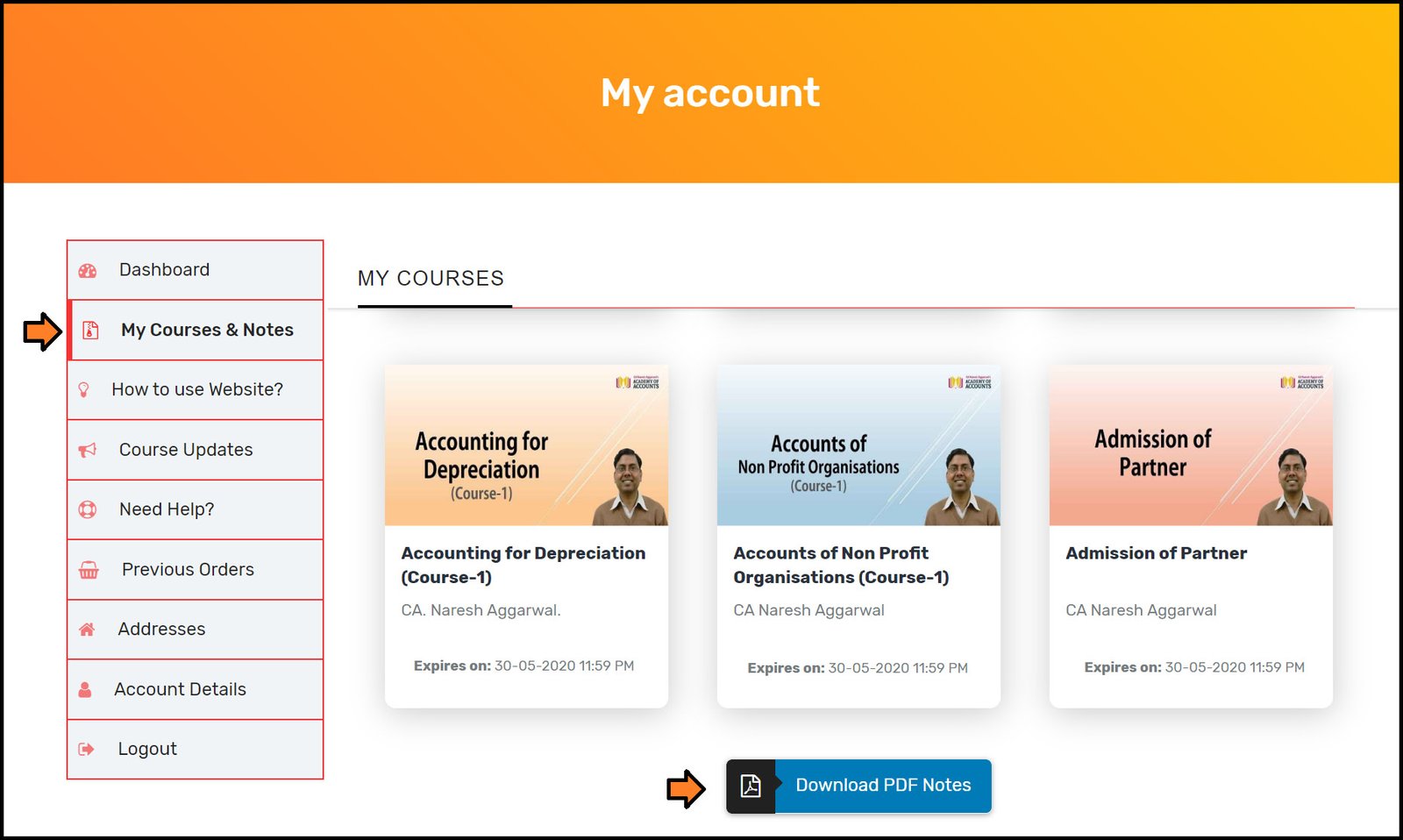
Link for 'PDF Downloadable Notes' related to the course subscribed by the student will now be available under the 'My Courses' section of his/her dashboard. (Example image is given below)
Students can download FREE Pdf notes from the complementary download section of our website.
The link is provided in the footer of the website which is demonstrated in the below-mentioned image.